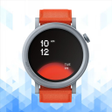
ZTplus companion app for managing ZT and Ultra wearable devices
Experience ZTplus, developed by Shenzhen United Power Technology Co. Ltd., as a companion app for smart wearable devices that centralizes device management and health synchronization. The app pairs watches and fitness bands via Bluetooth, records heart rate, sleep, steps, and generates workout and health reports with visual charts. It also forwards call, SMS, and app alerts to the wearable and lets users change watch faces and alarms. Owners of compatible smartwatches gain consolidated health tracking and remote device control.
What devices and data flows does the app actually support?
ZTplus supports ZT-branded watches and the Ultra series, and it handles more than simple step counts. The app can apply firmware updates to connected wearables, log multiple exercise modes, and capture outdoor routes using GPS tracking for distance and duration. Personalized fitness reports are assembled from historical data so users can review trends rather than single-day snapshots.
How does ZTplus interact with the phone and connectivity hardware?
The app targets Android devices and specifies Android 5.0 or later and Bluetooth 4.0 or higher for reliable operation. Synchronization runs over the phone’s Bluetooth radio, so the app’s activity is concentrated on maintaining that link rather than taxing unrelated subsystems. User feedback includes occasional synchronization challenges, a behaviour consistent with Bluetooth-based IoT device pairing and range sensitivity.
Is notification forwarding and firmware updating safe to use?
Notification synchronization and firmware updates mean the app requests access to notifications and Bluetooth pairing permissions. Those capabilities let the app forward calls and messages to the wearable and modify device firmware during updates, so granting those permissions is necessary for full function. The developer manages other wearable apps such as HryFine and M2Wear, indicating focused experience in this device category.
Do non-technical users need specialist knowledge to operate ZTplus?
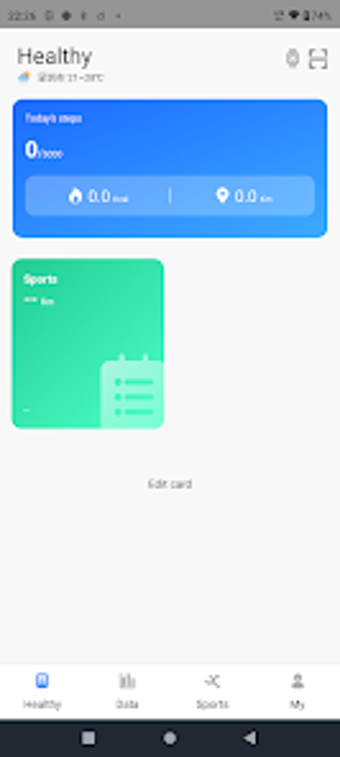
Setup follows a guided binding workflow: enable Bluetooth, open the app’s Settings or Device tab, choose Bind Device, then search the watch’s Bluetooth name or scan the QR code shown on the device. The app presents a clean dashboard to render health charts for everyday interpretation. Advanced tasks like firmware updates require following on-screen prompts and a stable connection, but basic tracking and watch-face changes are accessible to most owners.
ZTplus is a practical companion for owners of compatible wearables, with one key caveat
ZTplus serves owners who want consolidated wearable management and historical fitness reporting, backed by a developer focused on wearable software. The principal trade-off is dependence on Bluetooth connectivity, which can interrupt syncs; perform device binding and firmware steps with the phone and wearable in close proximity for best results. The app suits routine monitoring and device control for compatible smartwatch owners.